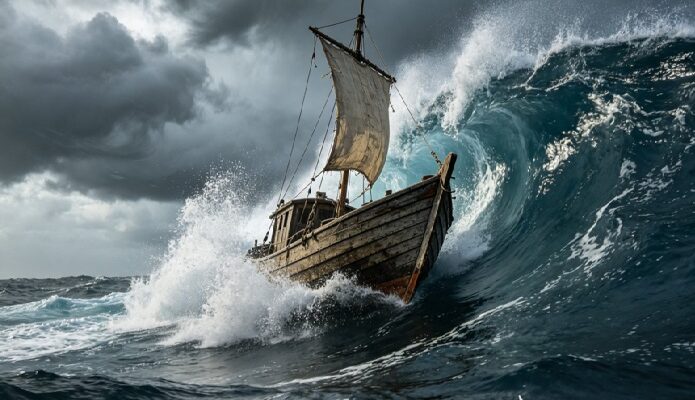

The ocean rarely behaves the same way twice, a calm surface can turn into rolling swells within a few sentences, and that unpredictability makes it rich material for video. Text to video tools can now capture that shifting quality, and Dreamina’s Seedance 2.5 handles open water and the drama that comes with it well enough that a written ocean adventure plays back like something actually filmed at sea.
Why ocean stories translate so naturally into motion
An ocean scene is never static, waves roll, spray scatters, a boat pitches with the swell beneath it. Writing that motion directly into a prompt, rather than describing a still ocean backdrop, gives Seedance 2.5 something concrete to build a scene around instead of guessing at how the water should behave on its own.

Picking the moment that defines the adventure
A full voyage doesn’t need to appear in one clip, so it helps to isolate the single beat that carries the most tension or wonder. A few moments tend to work particularly well:
- A boat cresting a large wave at the height of a storm
- A calm, quiet moment on open water just before something changes
- The instant a crew spots land, a creature, or a distant ship
One well-chosen moment says more about an ocean adventure than an attempt to show the entire journey at once.
What makes an ocean prompt actually convincing
A weak prompt just says boat on the ocean and hopes for the best. A strong one names the water’s texture, the size and direction of the waves, and how light interacts with the spray in the air. Choppy, wind-driven water behaves nothing like a rolling ocean swell, and naming that difference is what keeps a scene from looking like generic stock footage of the sea.
Your three step path from idea to finished scene
Step 1: Enter your prompt and add a reference if you have one
Open Dreamina and head to the AI Video section. If you have a reference photo close to the scene you’re picturing, upload it through “Add reference image” to anchor it. Working purely from text to video, skip that and describe the scene in full detail instead.
Here’s an idea: A small wooden fishing boat cutting through rough gray water under a darkening sky, waves rising and crashing against the hull, spray catching the last light of a setting sun, the camera low against the water before rising to reveal the full storm gathering on the horizon.
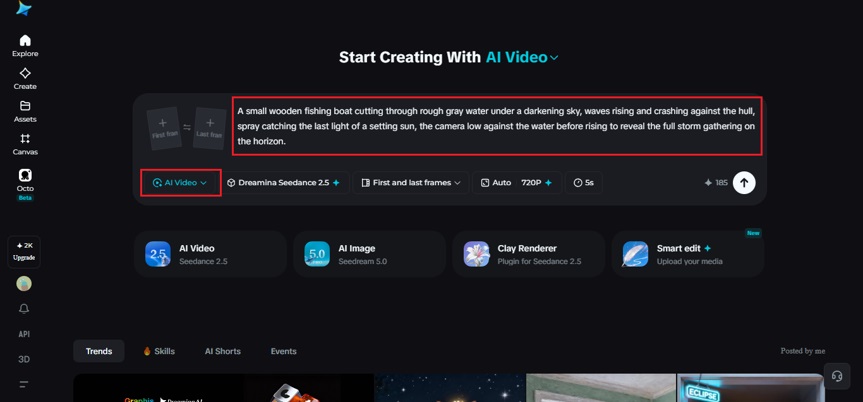
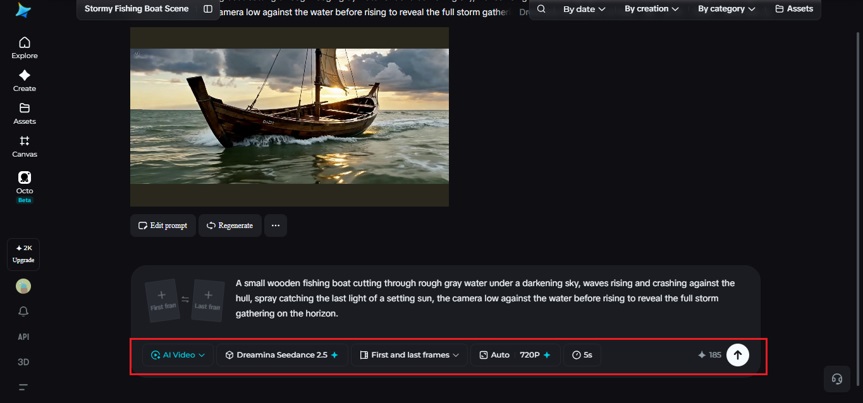
Step 2: Choose Seedance 2.5 and generate
Select Seedance 2.5 once your prompt is ready, since it handles water motion and dramatic lighting particularly well. Pick a length that fits the moment, then an aspect ratio, 16:9 for a cinematic feel, 9:16 for social platforms. Generate and give it a few seconds to render.
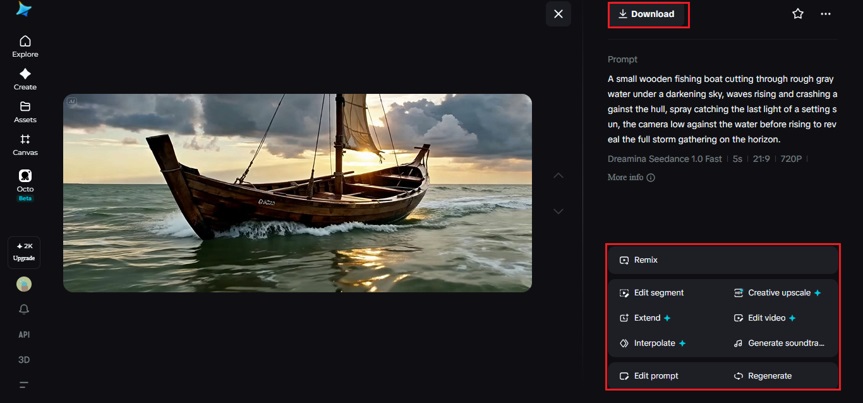
Step 3: Refine the motion and export
Once the clip comes back, check that the water and light both feel convincing before finishing up. Upscale sharpens fine detail in spray and foam, and Generate soundtrack can add ambient wind and wave sound beneath the visual. Export it once it’s ready to share.
Highlights for Seedance 2.5 – Ocean adventure
Seedance 2.5 was engineered to render open water sequences with physical authenticity that holds up across calm and chaotic conditions alike.
Wave physics with genuine weight
The model renders water that actually behaves like water, waves carry real momentum, foam scatters convincingly, and a boat’s movement responds to the swell beneath it rather than floating unnaturally on top of a flat surface.
Weather transitions within a single clip
Ocean scenes often shift quickly, a calm sky can darken within moments. Seedance 2.5 handles that transition smoothly, adjusting light and water texture together so the change reads as one continuous event rather than two disconnected scenes stitched together.
Camera stability during dynamic motion
Even as a boat pitches and rolls, the camera holds a coherent sense of orientation. Viewers can always tell where the horizon sits and how the vessel is moving through it, which keeps an intense scene readable instead of disorienting.
Extended duration for full sequences
Ultra-long video generation runs up to 180 seconds, enough to carry an ocean scene from a calm opening through a full storm and back to stillness without several separate clips stitched together.
Choosing visuals that heighten the sense of scale
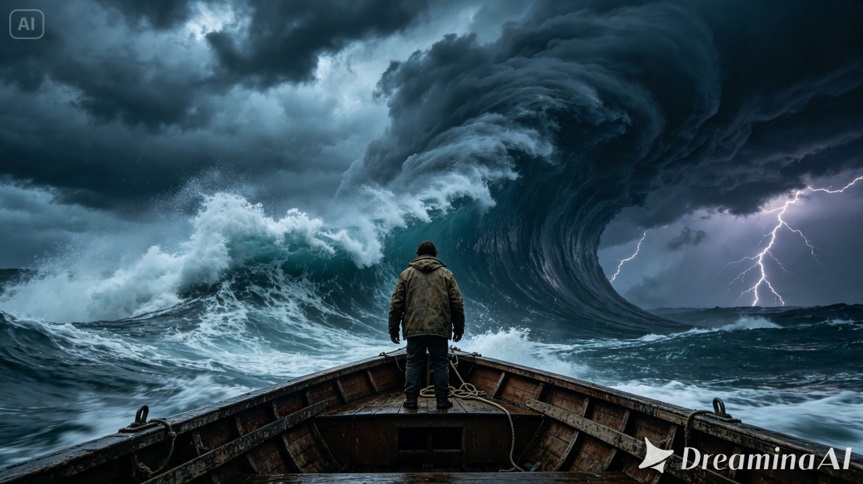
Scale matters enormously in an ocean scene. A single small boat against a vast, open horizon communicates vulnerability and drama better than a wider shot ever could. When prompting Seedance 2.5, keeping the vessel small relative to the water and sky around it tends to sell the feeling of being at the mercy of something much larger.
Where these ocean adventure clips are already being used
These clips have moved well beyond personal creative projects. Sailing and adventure brands use them to promote a route or expedition before it happens, authors use them to bring a maritime story to life for readers, and game studios use early renders to test the mood of an ocean-based level before it’s built. A voyage that used to require actual footage from open water can now be visualized from a written description, and thanks to Seedance 2.5, it holds enough weight and motion to feel genuinely seaworthy.
Bringing an ocean adventure to life used to mean chartering a boat and hoping the weather cooperated. With Dreamina and the water-aware precision of Seedance 2.5, that same story can be built from a few careful sentences, carrying all the drama of open water without anyone needing to leave dry land.